

Contact



Sales teams are expected to grow their pipeline faster, but most reps are not actually selling most of the time. Salesforce reports that only about 28% of a rep’s week is spent on selling, with the rest going into admin work and research. That makes scaling efficiently difficult, even with Clay sales automation.
The challenge is not just generating leads. It is finding the right prospects, enriching them with accurate data, and moving them across tools without breaking the workflow. Most setups are fragmented, leading to messy data, duplicate work, and missed opportunities. Clay brings GTM automation and sales data workflows into one system.
In this blog, we will break down the 10 best tools that power Clay sales automation and show how they work together. You will learn how to build a simple, scalable system that improves lead quality and drives better conversions.
Clay sales automation is a modern approach to building outbound and go-to-market workflows by combining data, enrichment, and automation in one place. Instead of relying on multiple disconnected tools, Clay acts as a central layer where you can source leads, enrich them with real-time data, and trigger actions across your sales stack.
At its core, Clay pulls and orchestrates data from multiple providers, helps you qualify leads based on custom criteria, and syncs that data into tools like your CRM or outreach platforms. This removes the need for manual research, spreadsheet juggling, and constant tool switching.
It also plays a key role in Clay data enrichment sales automation, where multiple enrichment providers are layered together to ensure accuracy and depth of lead data.
To fully understand Clay’s role in your sales stack, it’s equally important to clarify what it does not replace:
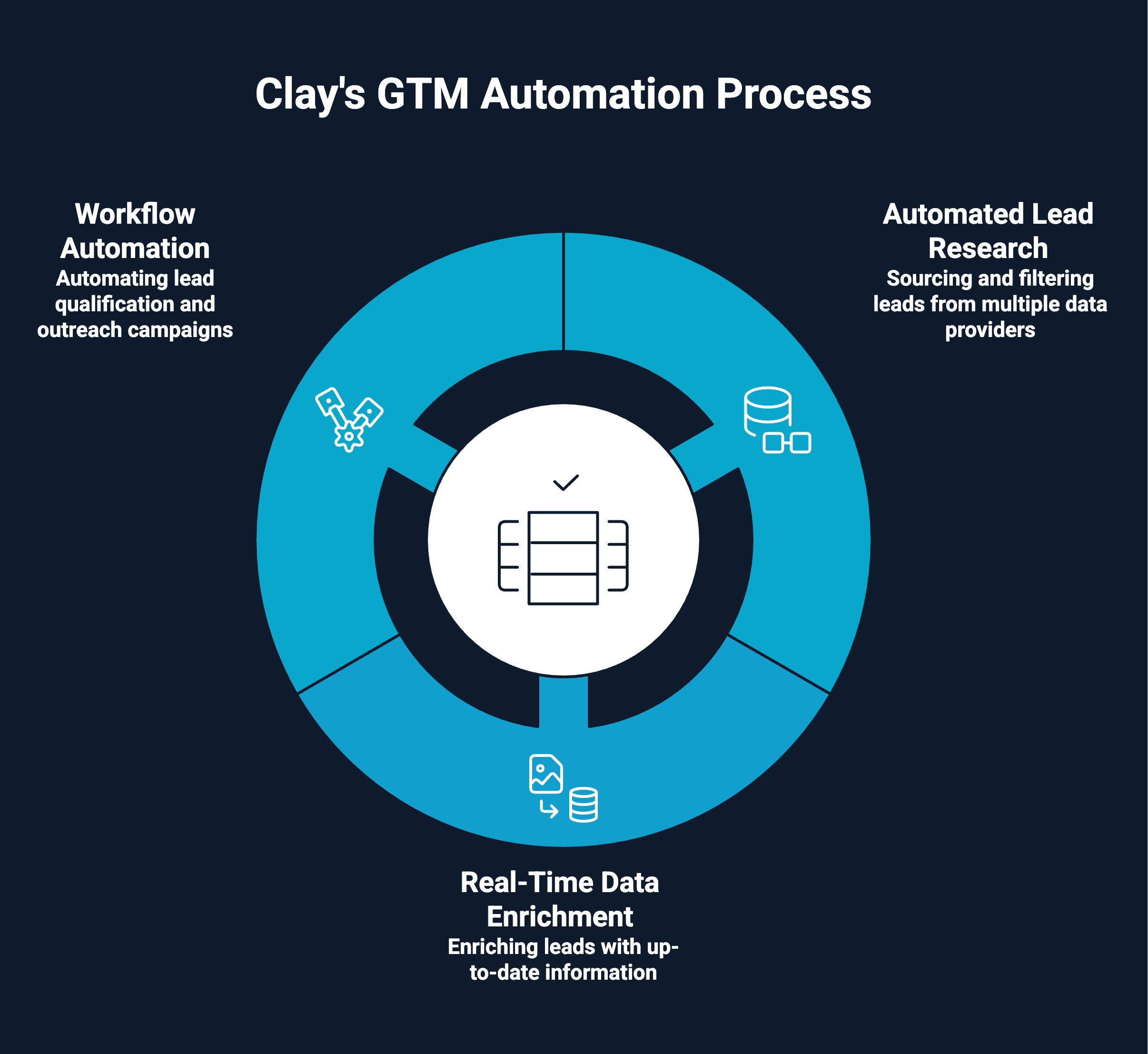
Clay powers GTM automation by bringing together lead sourcing, data enrichment, and workflow execution into a single system. Instead of handling each step separately, teams can build end-to-end workflows that move prospects from discovery to outreach automatically.
Here’s how it works in practice:
Clay allows you to source leads from multiple data providers and build highly targeted lists using filters like role, company size, industry, and intent signals. This removes hours of manual prospecting and ensures you are working with relevant, high-quality leads.
Once leads are sourced, Clay enriches them with up-to-date data such as email addresses, job changes, company insights, and more. This helps improve accuracy and ensures your outreach is based on fresh, reliable information.
Clay connects with your CRM and outreach tools to automate the next steps. You can qualify leads, push them into your CRM, and trigger personalized outreach campaigns without manual intervention, creating a seamless GTM workflow powered by Clay CRM enrichment sales automation.
Want to move beyond static lists and manual research? See how modern teams are using Clay-powered account-based marketing systems to drive real pipeline.
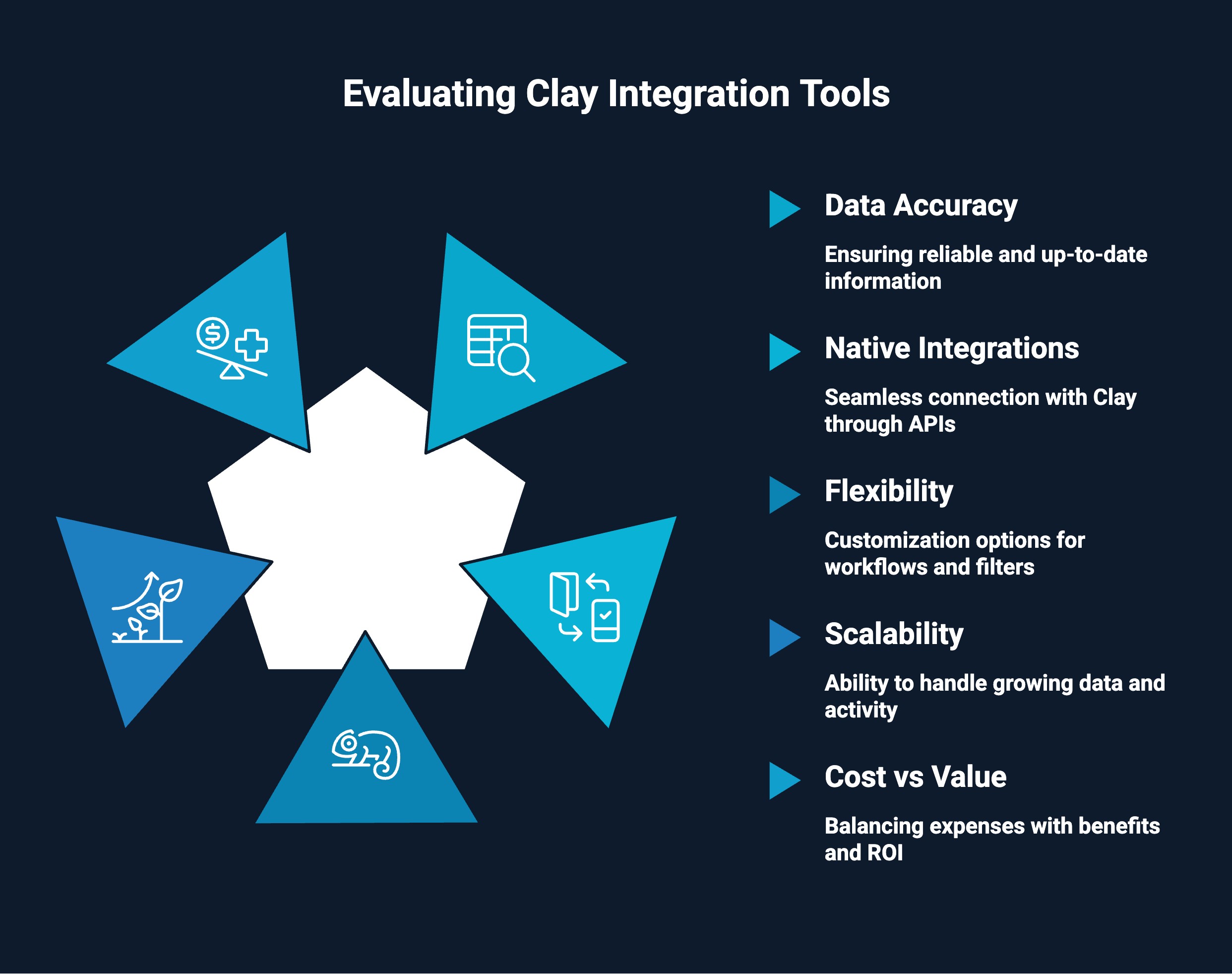
Not every tool fits well into a Clay workflow. Choosing the right integrations is key to building a system that is efficient, scalable, and easy to manage.
Here are a few things to look for when evaluating tools that work with Clay:
Clay becomes significantly more powerful when combined with the right set of tools. From managing customer data to running outreach and enriching leads, these integrations help you build a complete, end-to-end sales automation system.
Before diving into the tools, it’s important to understand how they connect with Clay. Some tools integrate directly with Clay, while others connect indirectly through exports, APIs, or automation platforms.
This guide clearly distinguishes between native integrations and activation tools, so you know exactly how each tool fits into your workflow and where it delivers value.
Here are some tools that integrate directly with Clay, helping you sync enriched data into your CRM and manage your pipeline more effectively.
HubSpot is a widely used CRM that helps teams manage contacts, track interactions, and organize their sales pipeline. When integrated with Clay, it becomes the central system of record where enriched and qualified leads are automatically synced. Clay handles the data sourcing and enrichment, while HubSpot stores, tracks, and enables sales actions on that data.
Want to supercharge your workflow? See how Clay + HubSpot integration can streamline sales and marketing alignment.
Salesforce is a powerful CRM built for teams managing complex and high-volume sales processes. When integrated with Clay, it becomes a system where enriched, qualified leads are pushed and managed at scale. Clay handles data sourcing, enrichment, and qualification, while Salesforce supports pipeline tracking, reporting, and sales execution.
Here are some tools that act as the activation layer, helping you execute outreach using enriched leads from Clay.
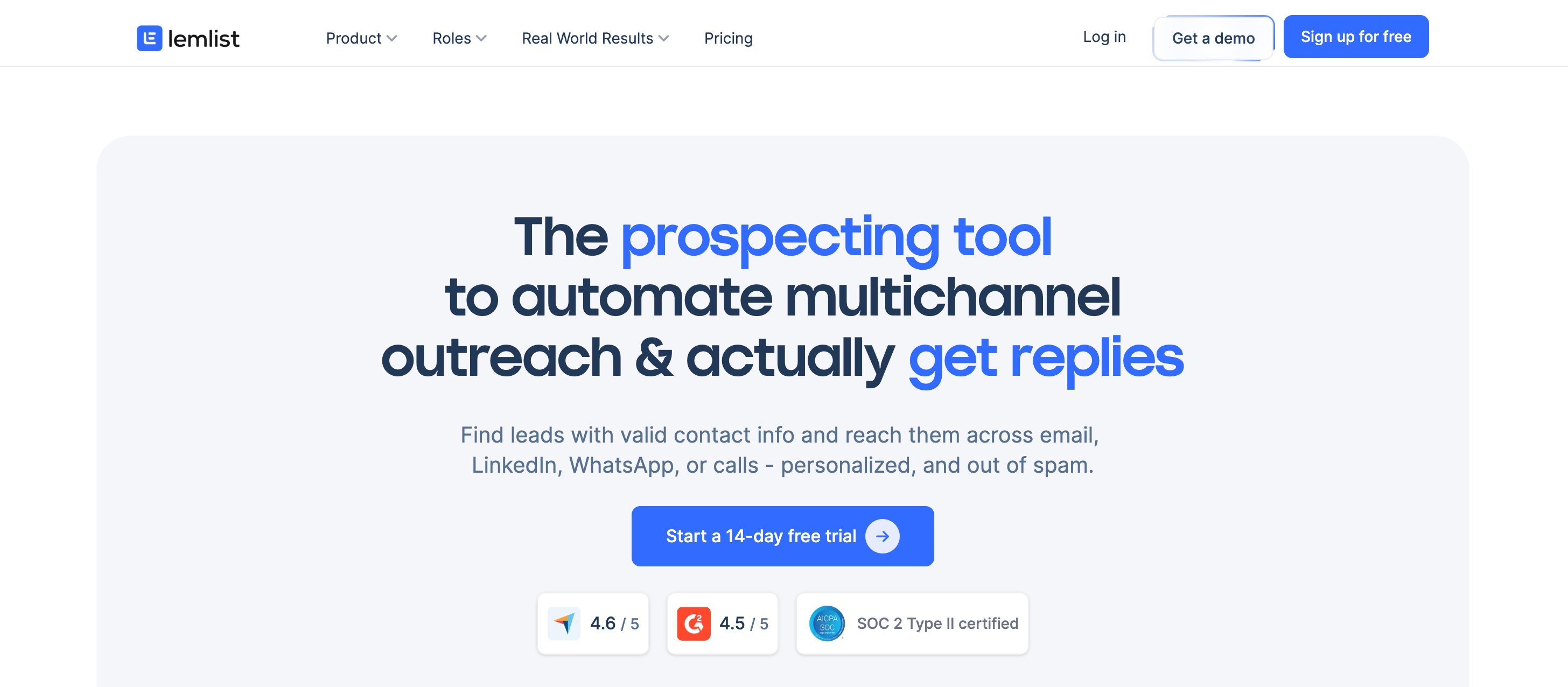
Lemlist is a sales engagement platform focused on personalized cold outreach across email and multichannel campaigns. When integrated with Clay, it allows you to push enriched and highly targeted leads directly into outreach sequences, making personalization and scaling much easier.
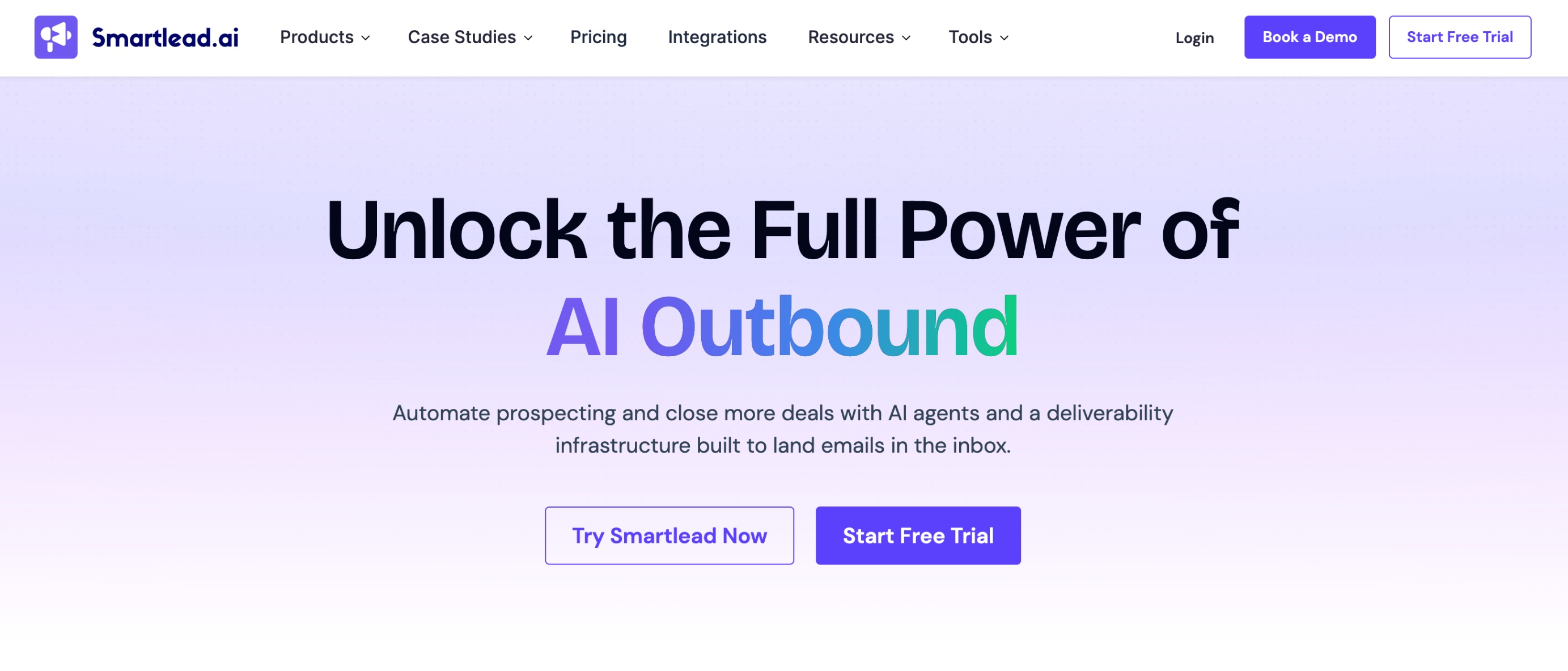
Smartlead is a cold email platform built for high-volume outreach with a strong focus on deliverability and inbox rotation. When integrated with Clay, it allows you to automatically send enriched and qualified leads into campaigns, ensuring you are only reaching out to the most relevant prospects.
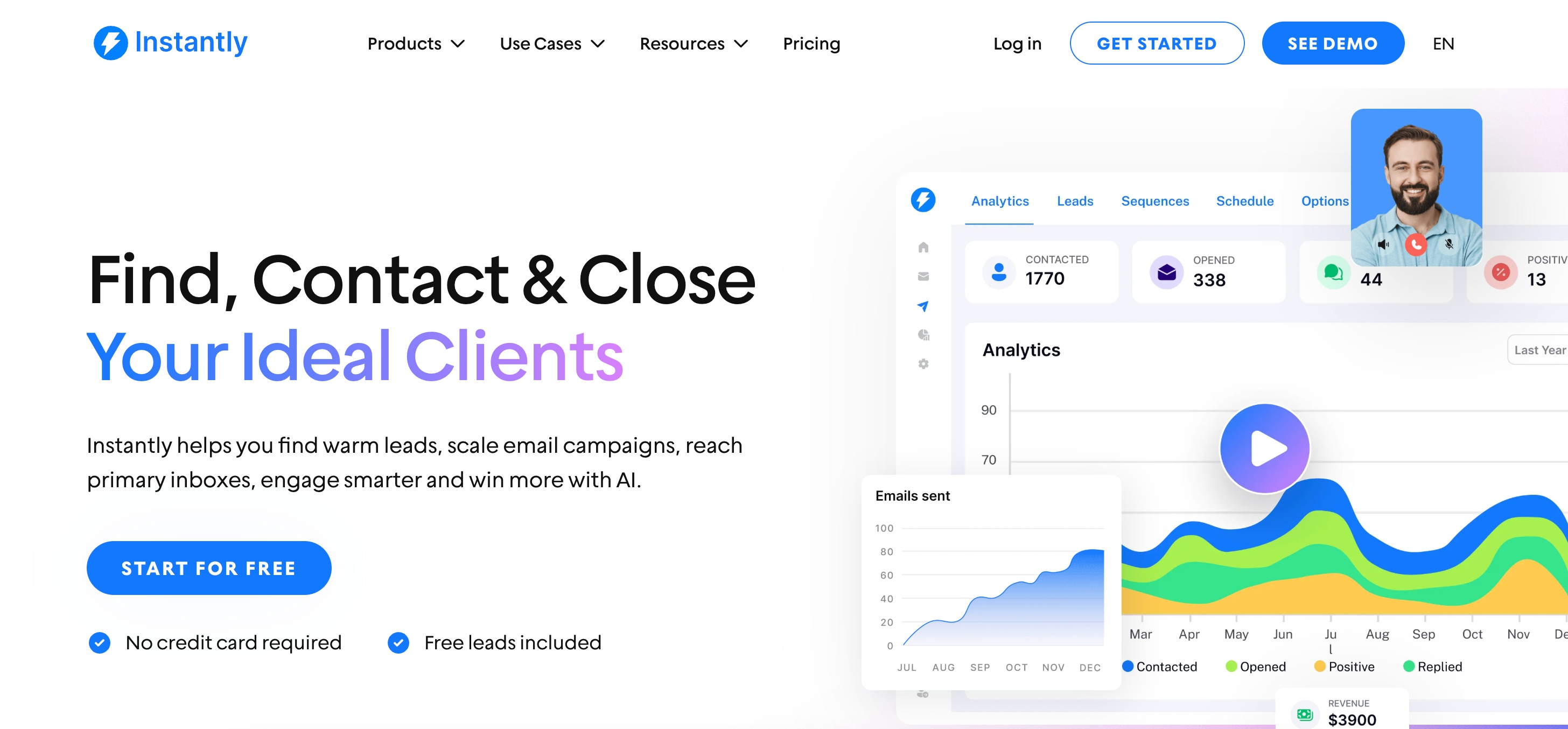
Instantly is a cold email platform designed for scaling outreach with multiple inboxes and simplified campaign management. When integrated with Clay, it enables you to send enriched and qualified leads directly into campaigns, helping you scale outbound without compromising on targeting.
Here are some tools that power Clay’s data and enrichment layer, helping you source and validate high-quality leads.
Apollo is a sales intelligence platform that provides access to a large database of contacts and companies. When used with Clay, it helps source leads and enrich them with additional firmographic and contact data, making your prospect lists more actionable.
Clearbit is a real-time data enrichment tool that provides detailed company and contact insights. Within Clay, it enhances lead profiles with accurate and up-to-date data, helping improve targeting and personalization.
People Data Labs provides large-scale, structured datasets on individuals and companies, including professional history, skills, and firmographic details. When integrated with Clay, it helps enrich and validate lead data at scale, making it easier to build highly targeted prospect lists.
Hunter is an email finding and verification tool that helps teams discover professional email addresses associated with domains. When used with Clay, it ensures that your lead lists are enriched with accurate and deliverable email addresses, reducing bounce rates and improving outreach performance.

Prospeo is an email finding and verification tool built for speed and scale. It helps teams discover and validate professional email addresses quickly. When integrated with Clay, it ensures your lead lists are enriched with verified contact details, making your outreach more reliable and efficient.
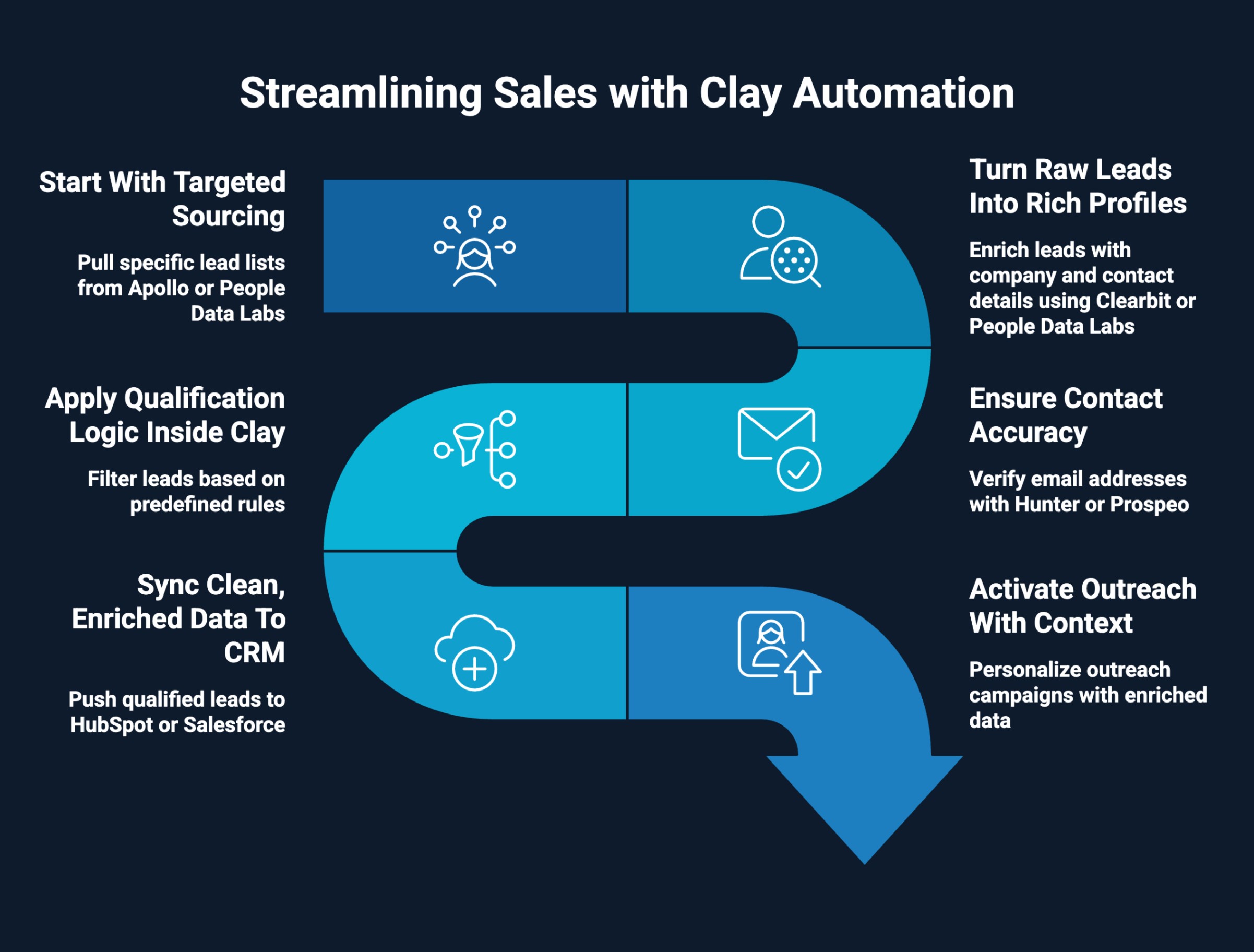
The real value of Clay is not in individual tools, but in how it connects them into a single, repeatable system. Instead of switching between platforms, you build a workflow where data is sourced, enriched, qualified, and activated in one continuous flow.
This is where a well-implemented Clay sales automation tool becomes a true growth engine rather than just another integration layer.
Here’s how that system actually works:
You begin by pulling highly specific lead lists from Apollo or People Data Labs based on your ICP. This is not bulk scraping. It is structured sourcing using filters like role, company size, geography, and industry, all directly inside Clay.
Once leads are in Clay, enrichment kicks in. Clearbit and People Data Labs add layers like company size, revenue, hiring trends, and tech stack. This transforms basic contacts into detailed profiles you can segment and prioritize.
Clay then runs email discovery and verification through Hunter and Prospeo. You can stack providers and set fallback logic, so every lead has the highest chance of a valid email, which directly impacts deliverability.
This is where the system becomes efficient. You define rules like “only include leads with verified emails, specific job titles, and target company size.” Clay filters out low-quality data automatically, so only high-intent leads move forward.
Qualified leads are pushed into HubSpot or Salesforce with all enriched fields mapped properly. Your CRM stays clean, updated, and ready for action without manual input from reps.
Finally, leads are sent to Lemlist, Smartlead, or Instantly. Since every lead is enriched, you can personalize outreach using real data points, making campaigns more relevant and improving response rates.
This setup creates a tight, end-to-end loop where every step builds on the previous one. You are not just automating tasks; you are building a system that consistently produces high-quality, outreach-ready leads.
Want to streamline your sales stack? Dive into our Clay sales tool guide to see how it can sharpen your process and drive results.
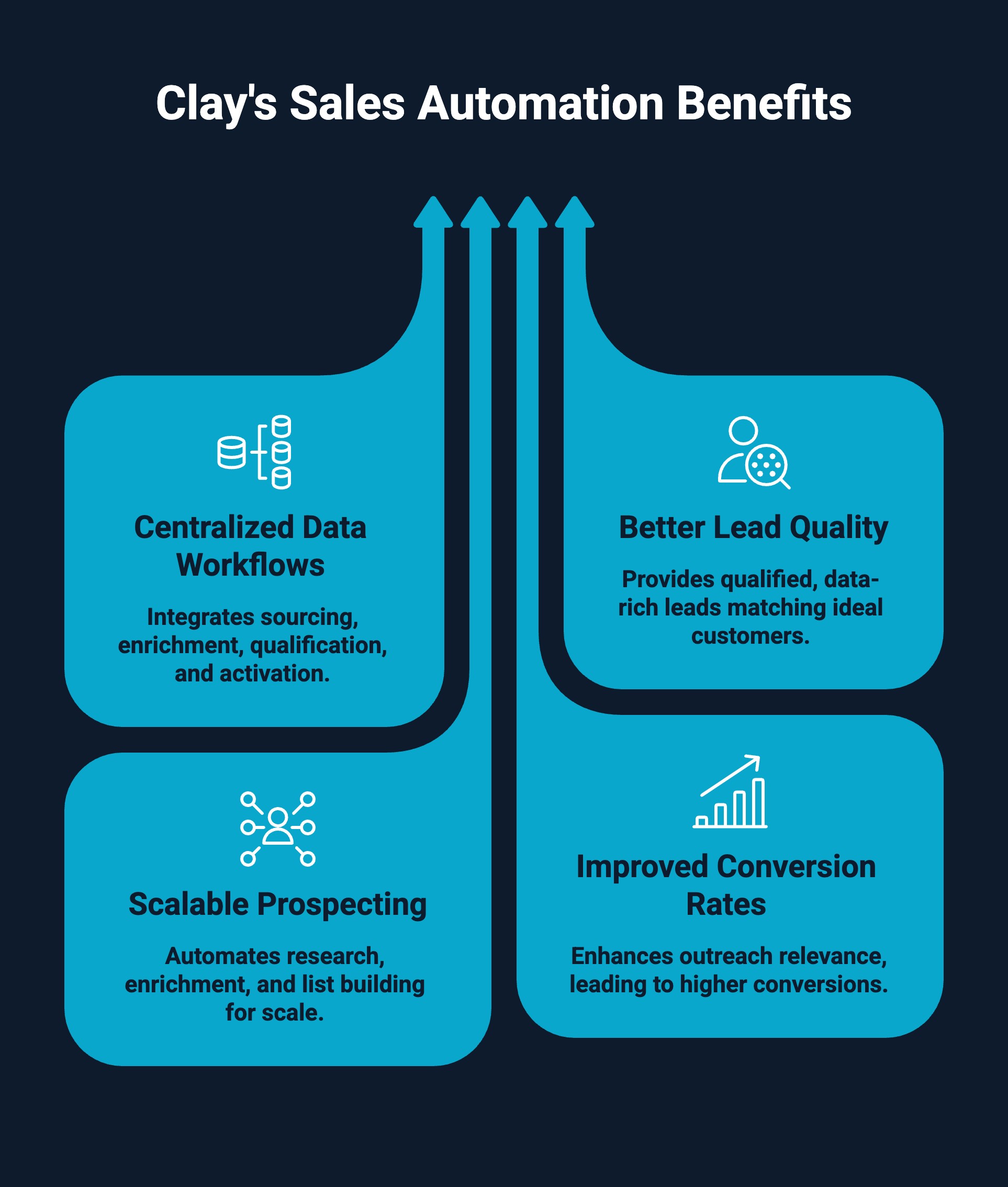
Clay is not just another tool in your stack. It fundamentally changes how your sales system operates by connecting data, workflows, and execution into one streamlined process.
Here’s what you actually gain from using it:
Overall, Clay CRM enrichment sales automation helps you move from scattered processes to a structured, scalable system that consistently drives results.
Curious how everything connects beyond outbound? Here’s a deep dive into how Clay fits into RevOps across the entire revenue lifecycle.
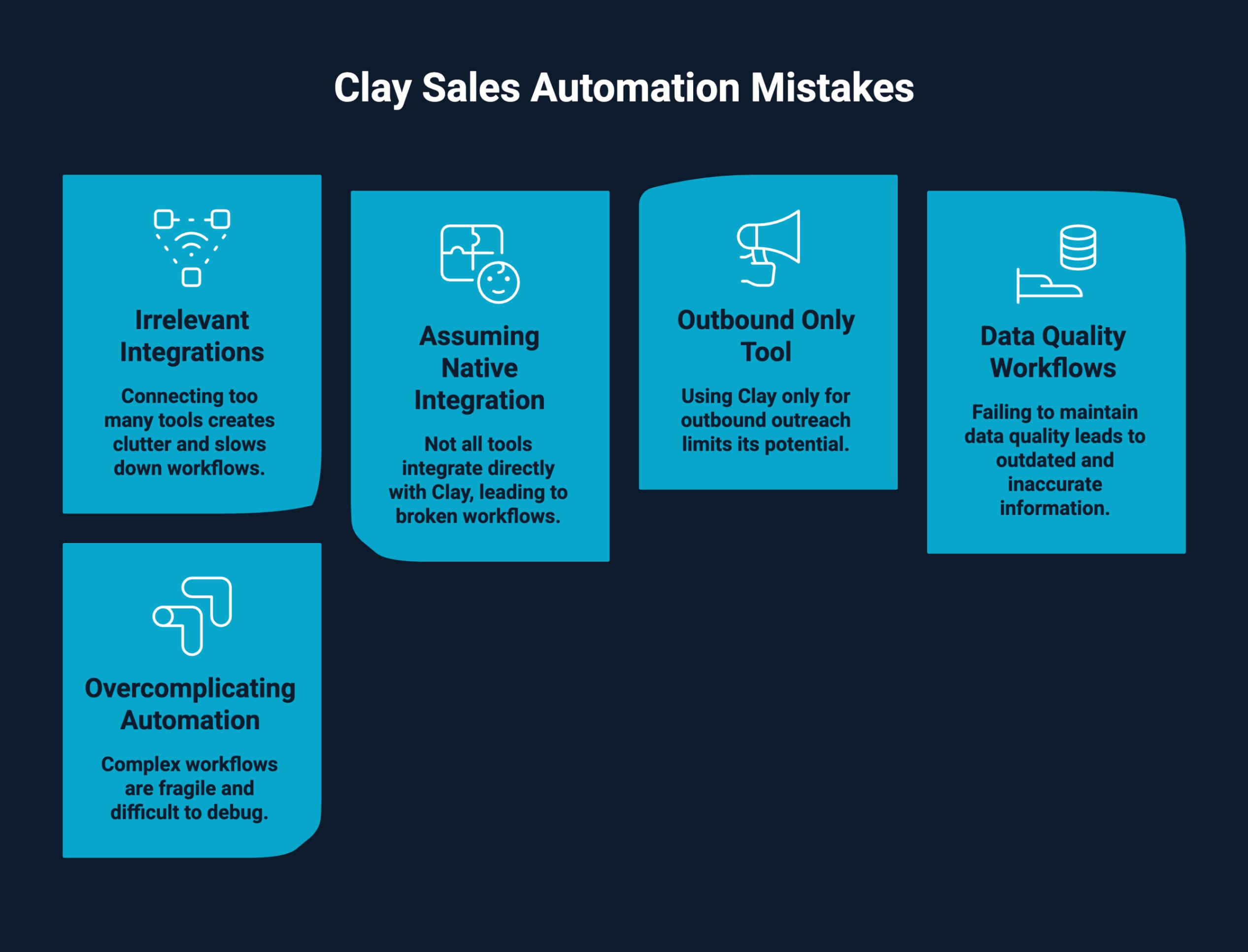
Clay is powerful, but most teams fail to get results because of how they set it up. The difference between a high-performing system and a messy one usually comes down to a few common mistakes and how you handle them.
Many teams try to connect every available tool, assuming more integrations mean better results. In reality, this creates clutter, slows down workflows, and introduces conflicting data sources.
Use a lean, purpose-driven stack. Focus on tools across three layers only: sourcing, enrichment, and activation. Add new integrations only when there is a clear gap in your workflow.
Not every tool in your sales stack will have a direct or native integration with Clay. Treating all tools as if they connect seamlessly can lead to broken workflows and unrealistic expectations.
Understand the integration type before using a tool. Some tools connect natively, while others require exports, APIs, or automation platforms. Plan your workflow accordingly to avoid friction.
A common mistake is using Clay just to build lists for cold outreach. This limits its potential and turns it into a basic prospecting tool instead of a full GTM system.
Use Clay across the entire lifecycle. Go beyond list building and leverage it for enrichment, lead scoring, segmentation, CRM sync, and continuous data updates.
Teams often set up enrichment once and assume the data will stay accurate. Over time, emails go stale, roles change, and company data becomes outdated, which hurts performance.
Maintain ongoing data workflows. Re-verify emails, refresh enrichment regularly, and use multiple providers where needed to keep data accurate and reliable.
It is easy to build complex workflows with too many steps, conditions, and tools. This makes the system fragile, hard to debug, and difficult to scale.
Keep workflows simple and outcome-focused. Stick to the core flow and only add complexity when it directly improves results.
Avoiding these mistakes helps you build a clean, scalable Clay sales automation system that actually drives results.
Struggling with low-quality leads? See how teams are building scalable systems with Clay lead generation that actually drives pipeline growth.
Setting up Clay the right way can be the difference between a high-performing pipeline engine and a messy, underutilized stack. That is where we come in.
LeadGem is a B2B growth and revenue operations agency based in Amsterdam with over 5 years of experience in growth marketing and growth hacking. As a Clay-certified partner, we specialize in building advanced RevOps and outbound systems that go beyond basic automation.
We do not just connect tools. We design end-to-end Clay workflows that continuously source, enrich, and qualify leads before they reach your sales team, turning automation into a consistent pipeline engine.
What we help you achieve:
We work with companies across Benelux, the Nordics, America, and Australia, helping teams build systems that scale without adding operational complexity.
Sales automation is no longer about stacking more tools. It is about building a system where every step, from sourcing to outreach, works together seamlessly. That is exactly what Clay enables when paired with the right integrations.
By combining data providers, enrichment tools, CRMs, and outreach platforms, you can move from manual, disconnected processes to a structured workflow that consistently produces high-quality leads. The result is not just more activity, but better targeting, cleaner data, and stronger conversions.
If done right, Clay sales automation becomes more than a tool. It becomes a repeatable growth engine that helps your team scale the pipeline without scaling effort.
Clay stands out as a central hub sales automation platform combining dozens of data sources, lead enrichment, and intent data. Unlike static data tools, it powers the entire process with automation, data analysis, and buyer intent.
Expert Clay users include GTM teams, marketing teams, and data science professionals in tech companies and SaaS companies. Large enterprises also adopt Clay to streamline manual tasks, lead generation, and customer relationship management processes efficiently.
Companies using Clay report higher conversion rates by improving lead enrichment, buyer intent targeting, and personalized first-line outreach. By automating manual tasks and enhancing the current sales process, teams scale faster across their total addressable market.
Clay is a powerful platform trusted by GTM teams, marketing teams, and large enterprises. It integrates premium data sources, supports marketing automation, and enhances customer relationship management, making it a reliable solution for modern lead generation and enrichment.
Clay is a sales automation platform that acts as a central hub for lead generation, lead enrichment, and data analysis. It connects dozens of data sources to streamline the entire process from sourcing to outreach efficiently.
Clay AI can be used by beginners, but it has a learning curve. Tools like Clay University and AI Formula Generator help simplify workflows, enabling new users to reduce manual tasks and understand data analysis within the platform.
Use Clay for lead enrichment by importing a list of companies or contact information into a Clay table, then connecting premium data sources. The AI research agent enriches data, adds buyer intent, and enhances marketing automation workflows.
Common use cases include lead generation, lead enrichment, building personalized first-line outreach, analyzing intent data, and automating manual tasks. GTM teams use Clay as a central hub to manage the entire process efficiently.
Clay helps companies achieve higher conversion rates by leveraging buyer intent, premium data sources, and personalized first-line messaging. It improves the current sales process, reduces manual tasks, and expands reach across the total addressable market.